Halftones for Screen Printing: Everything You Need to Know
Table Of Content
- Understanding Halftones
- Importance of Halftones in Screen Printing
- How Halftones Work in Screen Printing?
- Techniques for Creating Halftones for Screen Printing
- Design Terms Every Printer Should Know
- Line Per Inch (LPI)
- Dots Per Inch (DPI)
- Angle
- Recommended Angles
- Dot Shape
- Dot Gain
- Role of Inks and Equipment in Achieving Quality Halftones
- Summary
You look at a printed dotted shirt & are curious how tiny dots create smooth shades and photo effects, halftones create those smooth shades and photo effects. Basically Halftones for screen printing help printers turn simple ink colors into light, dark or smooth gradients. They make a flat design look detailed and real. If you want your prints to look clean and sharp, you must understand how halftones work and use them carefully.
Understanding Halftones
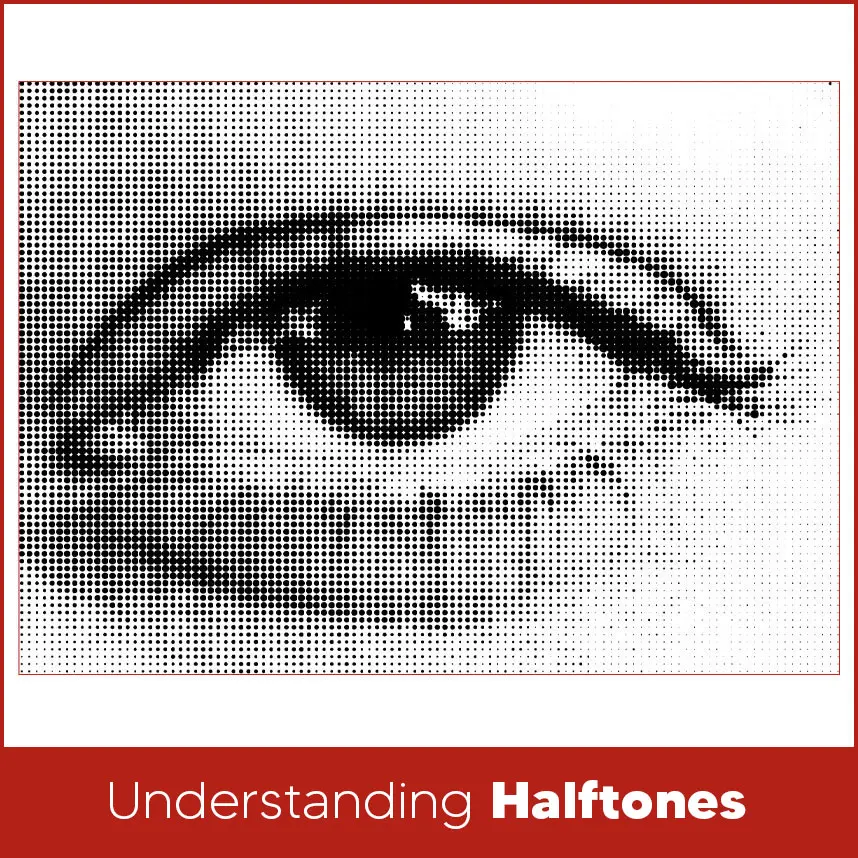
Halftones are based on small dots to create shading. Instead of printing solid areas of color, printers print dots in different sizes. Bigger dots create darker areas & smaller dots create lighter areas. When you look at the print from a distance, your eyes blend these dots & create smooth tones.
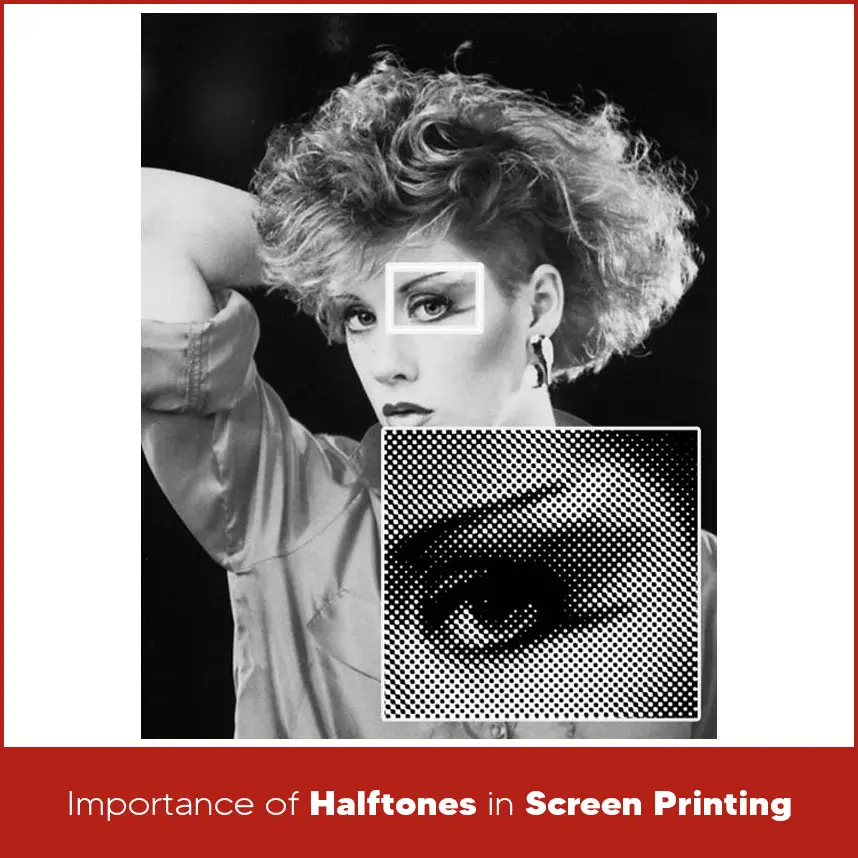
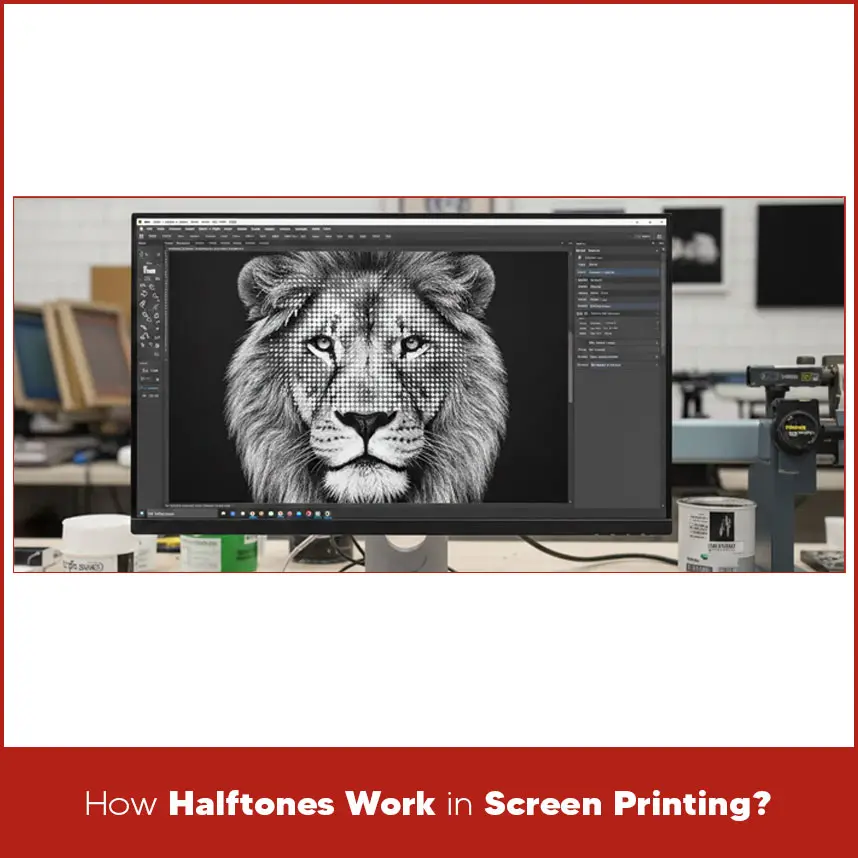
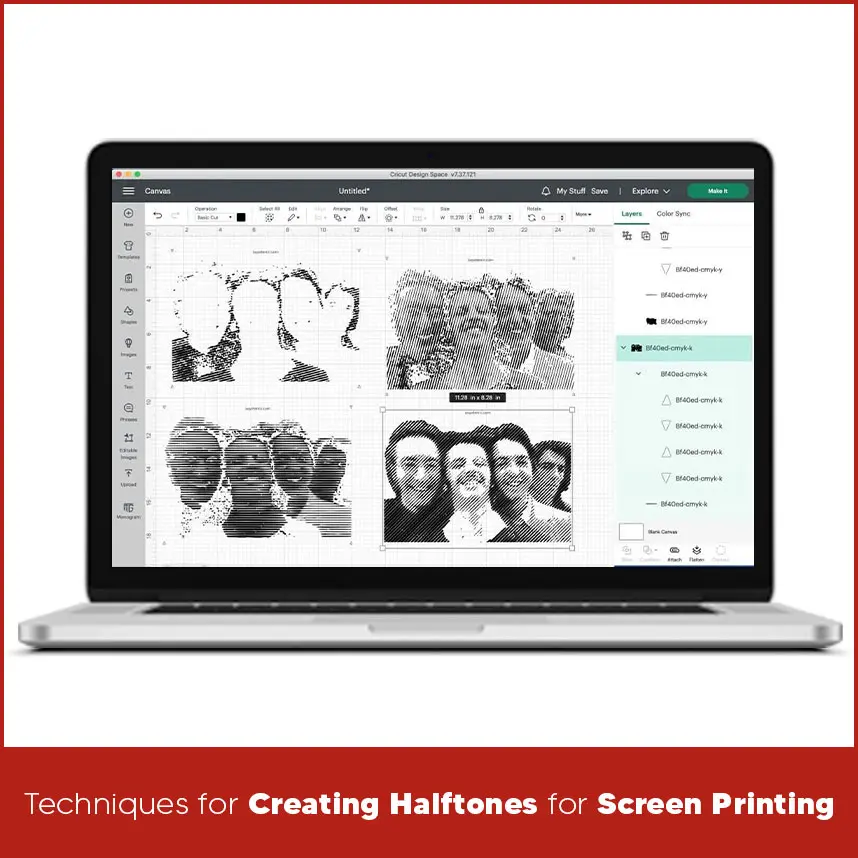
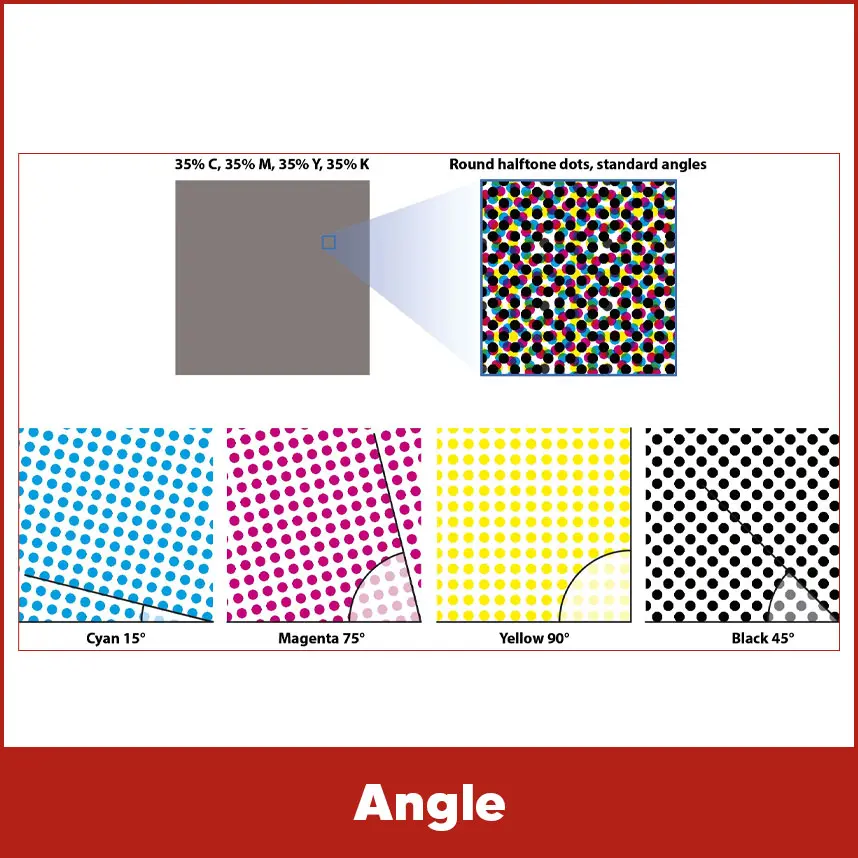
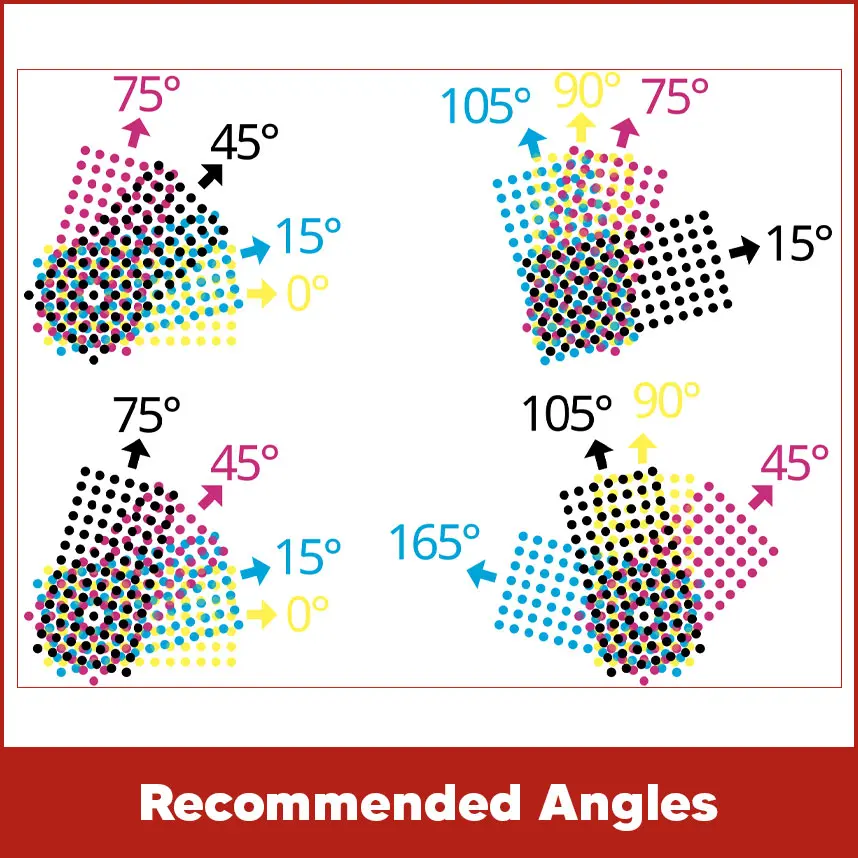
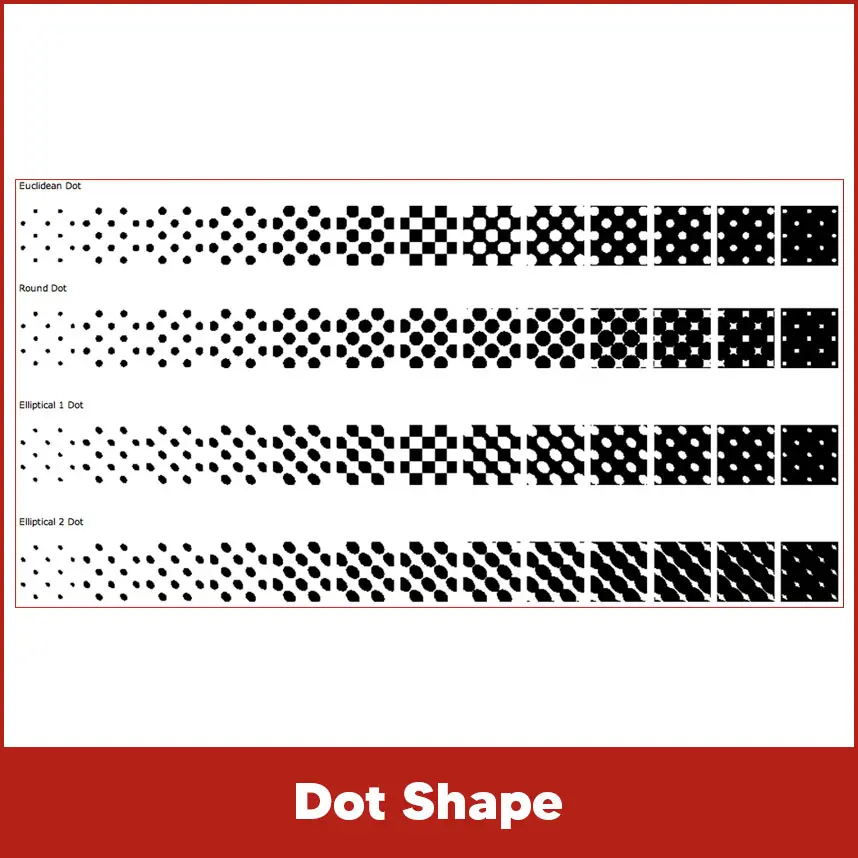
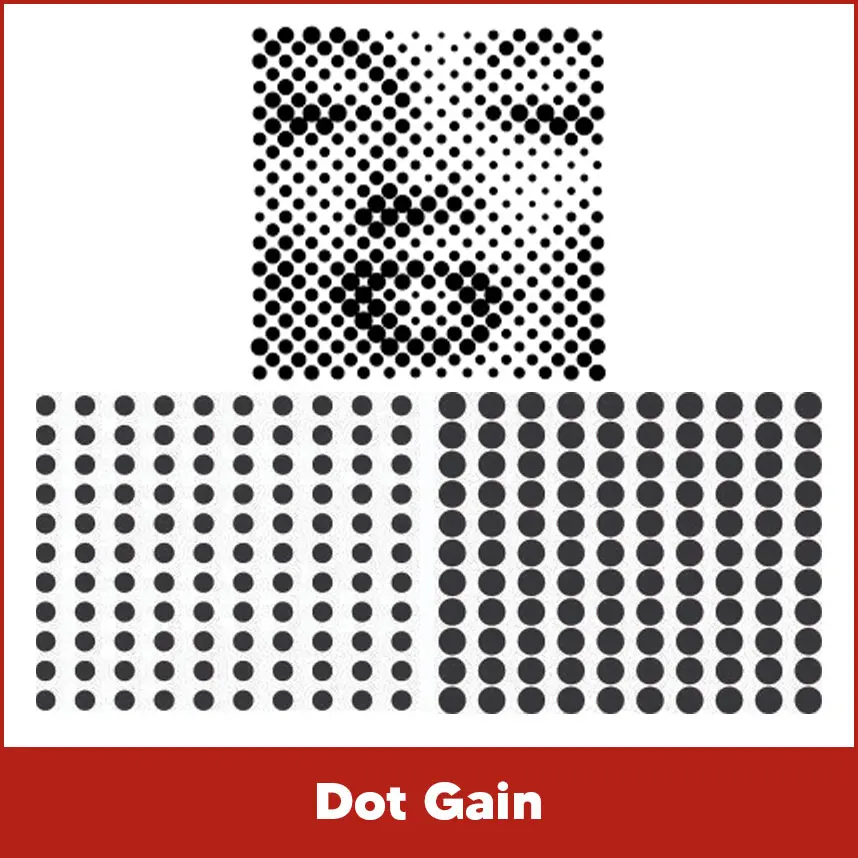
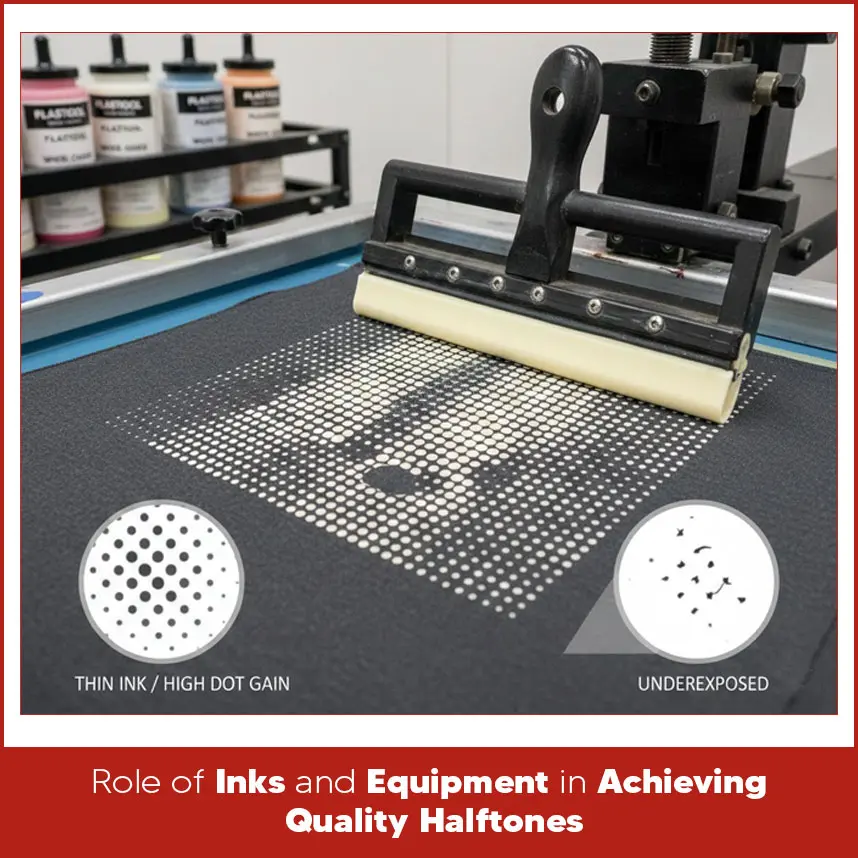
Screen printing uses one ink color at a time. Halftones help one color to show many shades. Let's understand with an example: Printers create gray tones with black ink when they change the dot size. This method supports printers to create photo style prints without using many ink colors. Printers use halftones in photo printing, newspapers, and screen printing to meet customer requirements. In screen printing, printers use halftones to print realistic images on shirts, hoodies & many other items. Halftones reduce cost and keep the design simple while still looking detailed. Halftones play a major role in screen printing because they control shading & depth. Without halftones, designs can look boring. With halftones, you can print portraits, gradients & detailed artwork using fewer screens. Halftones also reduce printing costs. Instead of printing 4 or 5 ink colors, printers use one or two inks and create shades with halftone dots. This process takes lower setup time & reduce ink usage. Halftones improve design flexibility. Printers adjust dot size, angle & spacing to match fabric type and mesh count. This control helps printers maintain print quality on cotton, polyester & blended fabrics. Halftones break a solid image into tiny dots. Design software converts the image into a dot pattern based on set values like LPI and angle. The screen holds these dots in the stencil. When printers push ink through the screen, the ink transfers the dot pattern onto the fabric. Larger dots support more ink to pass through and & darker areas. Smaller dots allow less ink to pass through and create lighter tones. Mesh count directly affects halftones. Higher mesh counts hold smaller dots more accurately. Low mesh counts cause small dots to fill in and lose detail. Proper screen tension and correct exposure protect dot shape and clarity. Printers create halftones with design software such as Adobe Photoshop or Illustrator. First, they convert the image to grayscale. Then they apply a halftone filter using selected LPI and angle settings. This process creates the dot pattern. Printers also use RIP software to create halftones. RIP programs provide better control over dot shape and angle. They increase accuracy and reduce common problems such as moire patterns. Before starting full production, printers test the design on film and screen. They check whether the dots hold their shape after exposure. They run a sample print and check smooth shading. Small adjustments in LPI or mesh count improve final results. Every printer must understand basic design terms to prevent printing mistakes. These terms control how halftones appear on fabric. Ignoring these terms causes loss of detail or unwanted patterns in the final print. Lines Per Inch (LPI) measures how many rows of halftone dots fit into one inch. Higher LPI creates smaller and closer dots. Lower LPI creates bigger dots. Most textile printers use 35 to 65 LPI. For detailed prints on smooth fabric, printers use 55 to 65 LPI. For simple prints or rough fabric, printers use 35 to 45 LPI for better results. Printers must match LPI with mesh count. A common rule requires the mesh count to be at least four to five times higher than the LPI. This ratio keeps dots clean and sharp. Dots Per Inch measures image resolution. DPI controls how detailed the digital image appears before designers convert it into halftones. For screen printing, 300 DPI gives strong results for most designs. Low DPI images appear blurry after printers convert them into halftones. High DPI keeps edges sharp and smooth. Designers must prepare artwork at final print size with correct DPI. Enlarging low-resolution files creates pixel problems and weak dot patterns. Angle defines the direction of the halftone dot pattern. Printers change the angle to prevent moire patterns, which appear as unwanted waves or lines. Single-color prints often use a 22.5° or 45° angle. Multi-color prints require different angles for each color to prevent overlap problems. Choosing the correct angle keeps the design clean and prevents pattern distortion. Angle selection depends on design type and number of colors. For single-color halftones, printers often use 22.5° because it reduces visible lines on fabric. For multi-color prints, printers use standard angles such as 15°, 45°, 75°, and 90°. These angles reduce the risk of moire between ink layers. Printers always test before full production. They print a small sample to confirm that the selected angles work well with the mesh and fabric type. Halftone dots come in different shapes. Common shapes include round, elliptical, and square dots. Round dots perform well for most textile prints. They are exposed easily and maintain their shape during printing. Elliptical dots reduce visible lines in gradient areas. Square dots create sharp edges but show pattern lines more clearly. Printers choose dot shape based on design detail and fabric texture. Dot gain occurs when halftone dots spread more than planned during printing. This spread makes the image appear darker and reduces detail. Excess ink, low mesh count, and soft squeegee pressure cause dot gain. High humidity and thick fabric also increase dot spread. Printers control dot gain by selecting proper mesh count, adjusting ink viscosity, and balancing squeegee pressure. Testing before full production prevents costly errors. Ink quality directly affects halftone clarity. Thick ink fills small dots. Thin ink spreads and increases dot gain. Plastisol ink holds dot shape well. Water-based ink requires careful control during printing. Mesh count, screen tension, and emulsion coating influence results. Tight screens keep dots sharp. Even emulsion coating creates clean stencil edges. Correct exposure time protects dot detail. Underexposure washes out small dots. Overexposure closes fine details. Balanced equipment setup produces clean and sharp halftones. Halftones for Screen Printing allow printers to create smooth shading, detailed images, and photo-style prints while using fewer ink colors. Dot size controls light and dark areas. LPI, DPI, angle, dot shape, and mesh count work together to produce clean results. Proper ink control and correct equipment setup prevent dot gain and detail loss. When you understand these elements, your prints look sharp and professional.Importance of Halftones in Screen Printing
How Halftones Work in Screen Printing?
Techniques for Creating Halftones for Screen Printing
Design Terms Every Printer Should Know
Line Per Inch (LPI)
.webp)
Dots Per Inch (DPI)
.webp)
Angle
Recommended Angles
Dot Shape
Dot Gain
Role of Inks and Equipment in Achieving Quality Halftones
Summary
If raster files, resolution setup, or vector conversion create challenges, DigitizingUSA provides reliable support. The team converts raster designs into clean vector files while maintaining detail and quality control. We protect design structure and deliver work on time. Contact DigitizingUSA today and get prepare your artwork correctly before going to print.